The shared system for US federal government websites, run by GSA. Agencies build on the same accessible components and keep their own look through design tokens.
Why we like it
The color system is the part every team should study. Every color family is graded from 0 to 100 by luminance, white to black, and the difference between two grades tells you the contrast. Fifty or more passes AA, seventy or more passes AAA, and a grade 50 color passes AA against both white and black. Designers can pick an accessible pair from the token names alone, without opening a contrast checker.
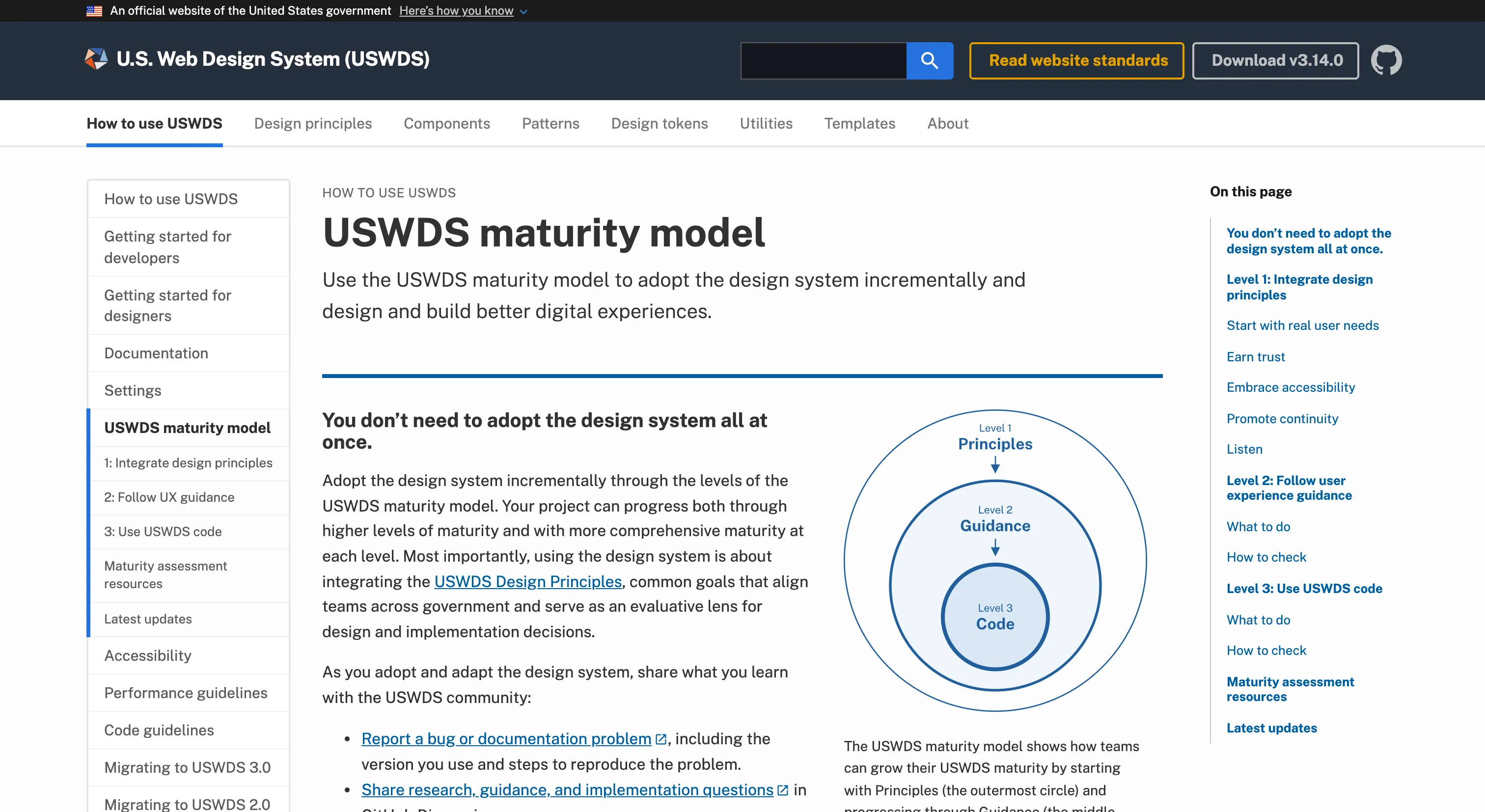
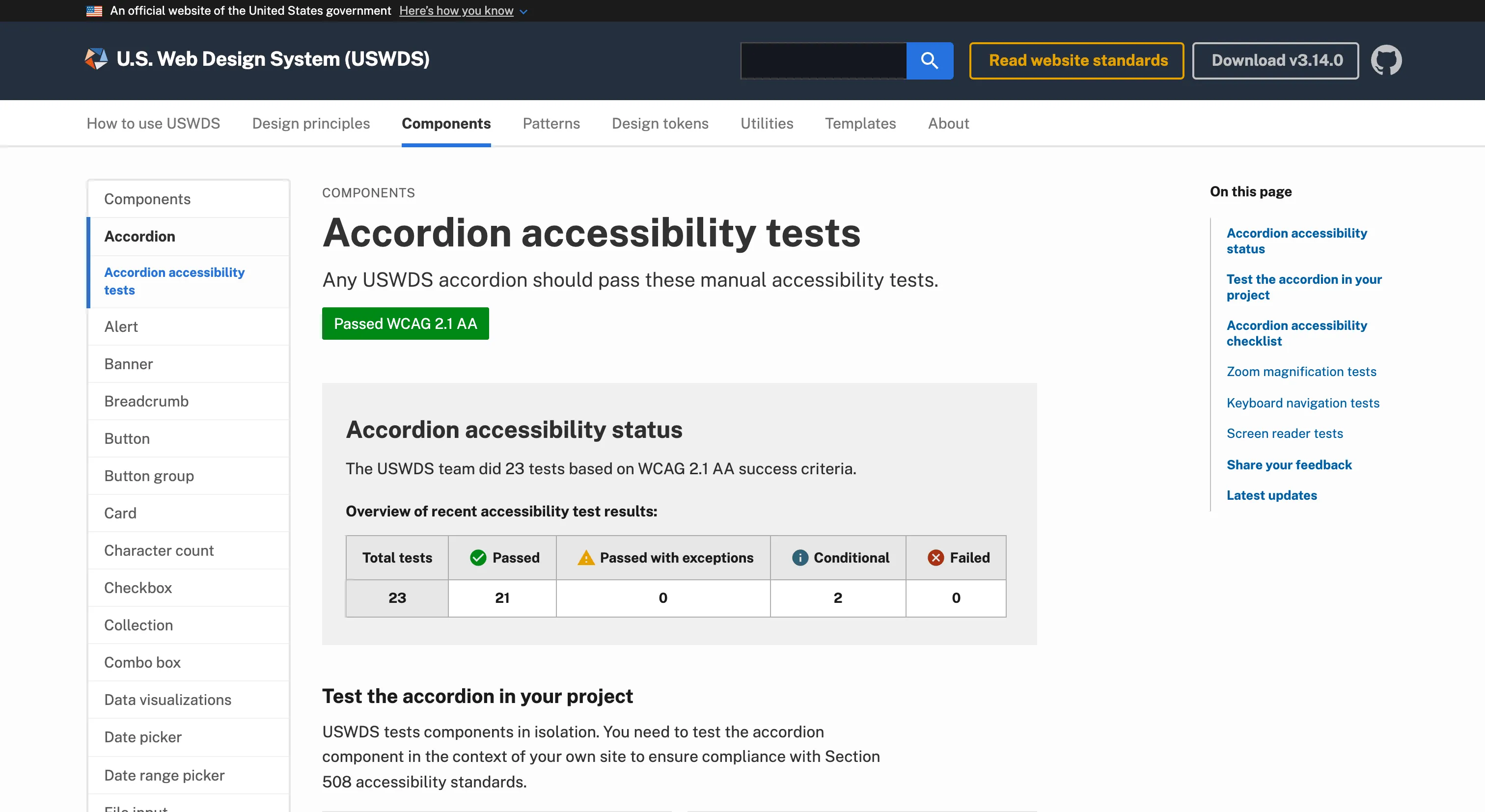
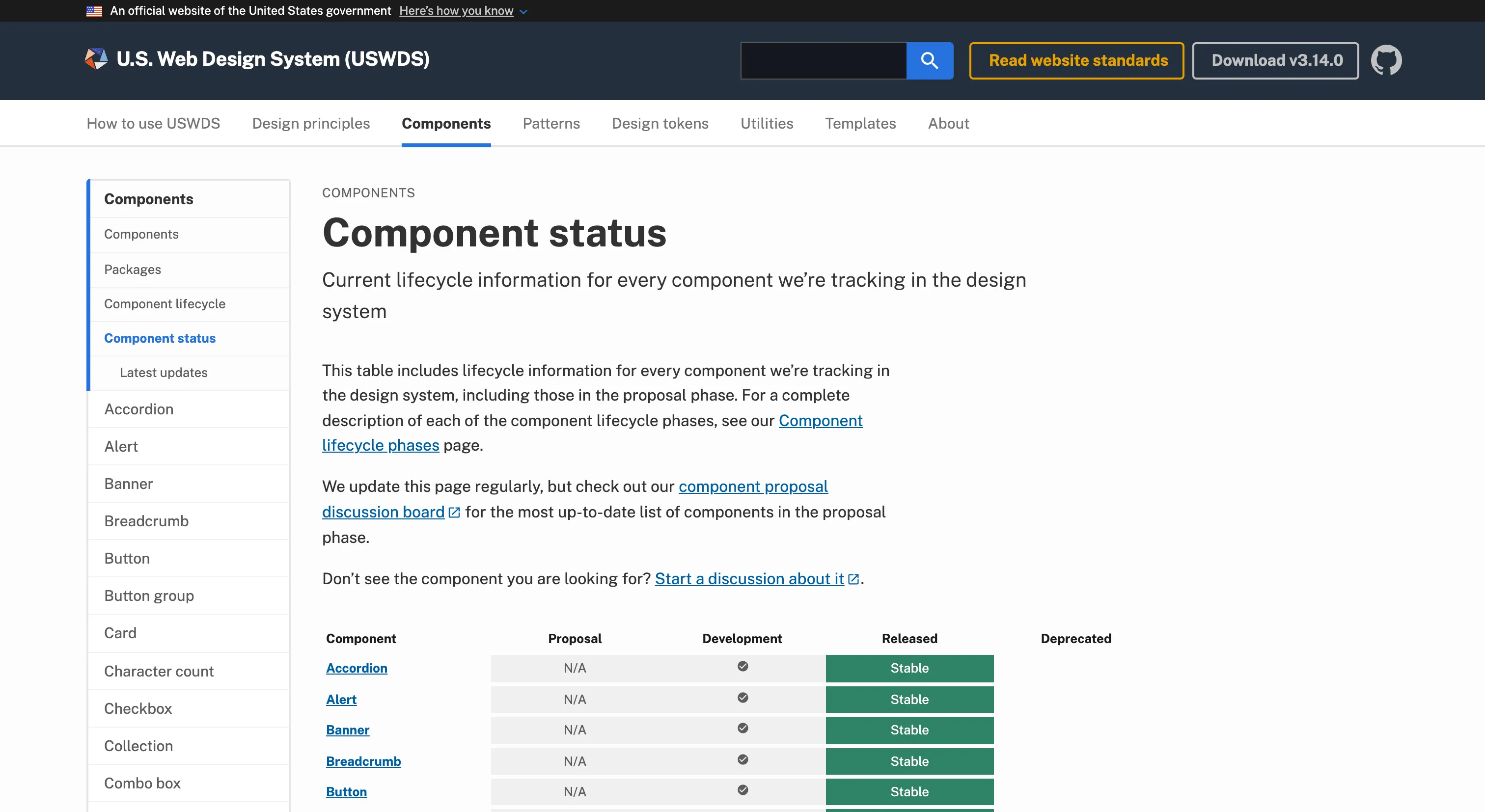
The same openness runs through the rest of the site. Each component publishes the team's own WCAG 2.1 AA test results (the accordion shows 23 tests, 21 passed and 2 conditional) next to a manual checklist teams can rerun on their own builds. The component lifecycle is public too, with named states like Use with caution and Will not pursue, and new proposals get at least 45 days of public comment. The maturity model counts a team as aligned if it follows the principles and guidance, even when it can't use the code, which is a realistic view of how adoption works across hundreds of agencies.
Where it fits
USWDS fits US federal websites and the contractors who build them, and any team that wants framework-agnostic HTML, Sass and vanilla JavaScript with strong Section 508 coverage. It's public domain, so it's free to fork and adapt outside government too.
It's web only, with no official React, Angular or Vue library, and markup is copied from the docs and compiled through a Sass pipeline. The web components effort, USWDS Elements, is still in alpha, and the team recommends adopting v3 now. Releases have become less frequent, with fifteen months between 3.13 and 3.14, so plan around the current feature set more than new components arriving soon.
Ideas to borrow
- 01.
Token architecture
Grade every color family on the same luminance scale so contrast can be read from the token names, and designers can choose accessible pairs without a checker.
- 02.
Accessibility practice
Publish your own per-component test results with a WCAG status, next to the same manual checklist product teams can rerun in context, so "we tested it, now test yours" is concrete.
- 03.
Governance
Define adoption as a maturity model running from principles to guidance to code, so teams that can't take the code still count as aligned, and pair it with procurement language that writes the system into vendor contracts.