Microsoft's design language for Windows and Microsoft 365. It spans web, iOS, Android and Windows, so the same button has to make sense in Outlook on a phone and Word on a desktop.
Why we like it
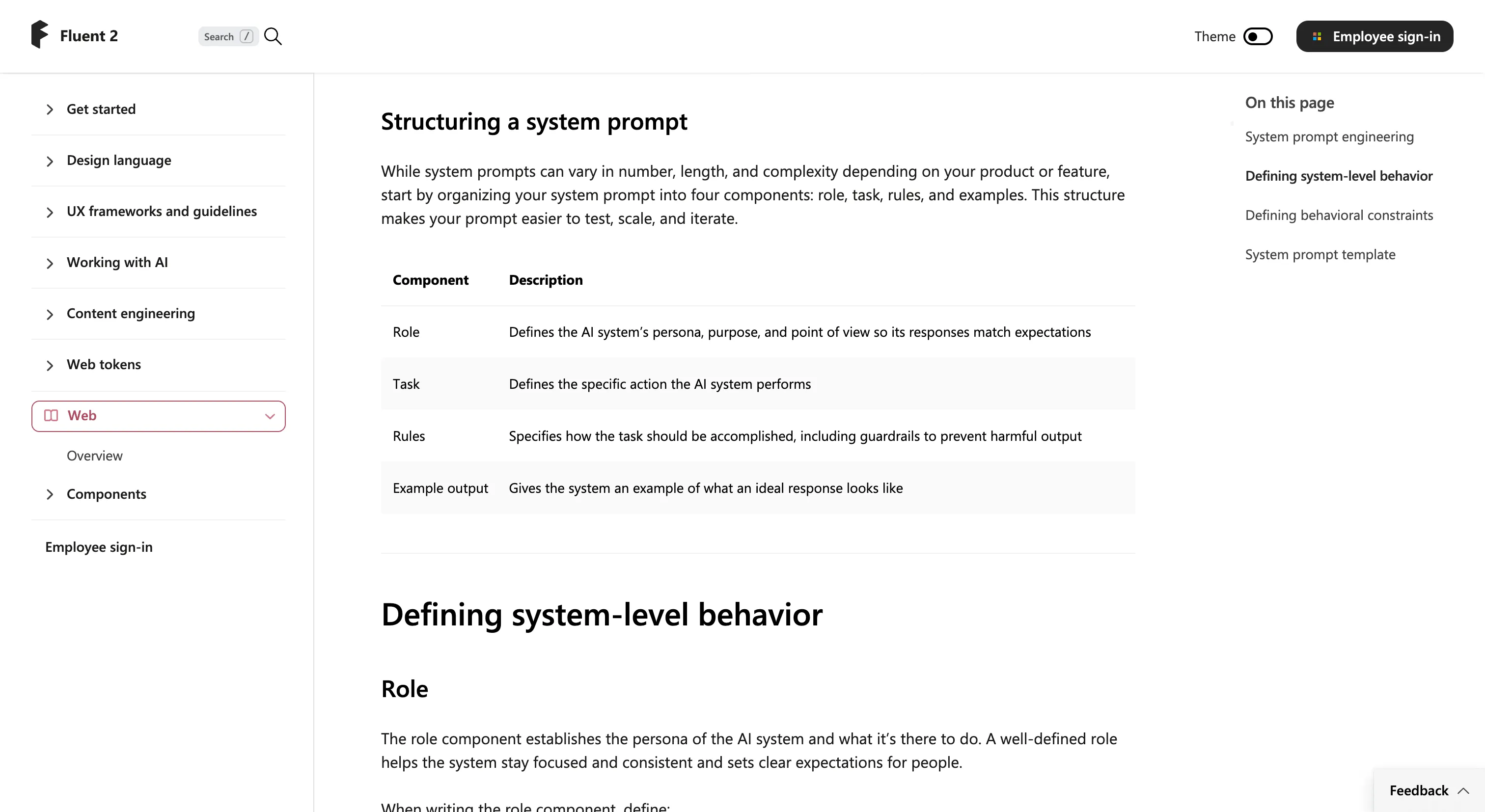
Most systems that publish AI guidance stop at principles. Fluent 2 treats the words an AI says as design material. Its content engineering section shows teams how to structure a system prompt (role, task, rules and an example of the output), sets voice rules down to never saying "Great question!" and only apologizing when the AI made the mistake, and runs to fourteen pages on judging output with prompt sets, rubrics and golden sets.
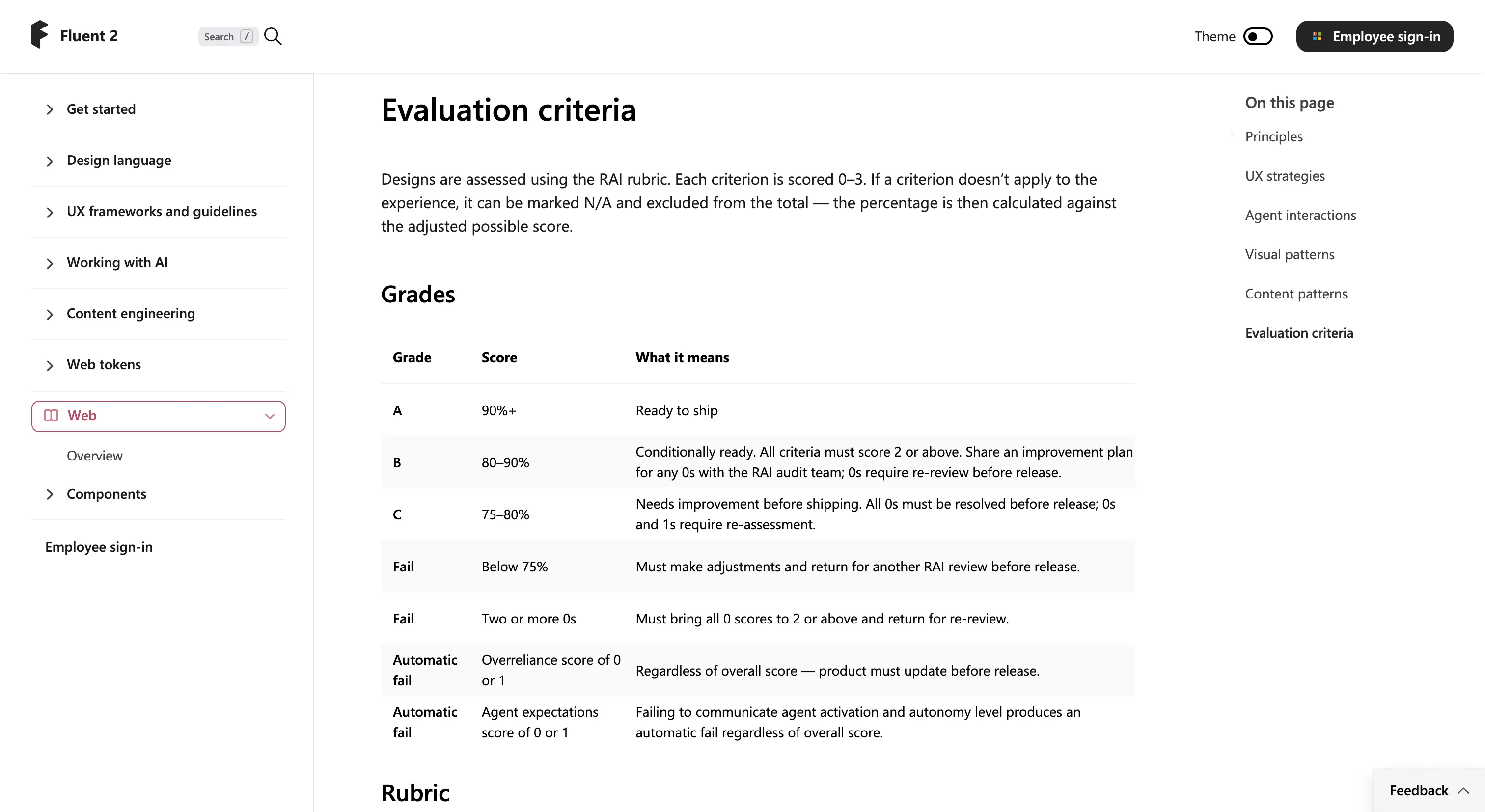
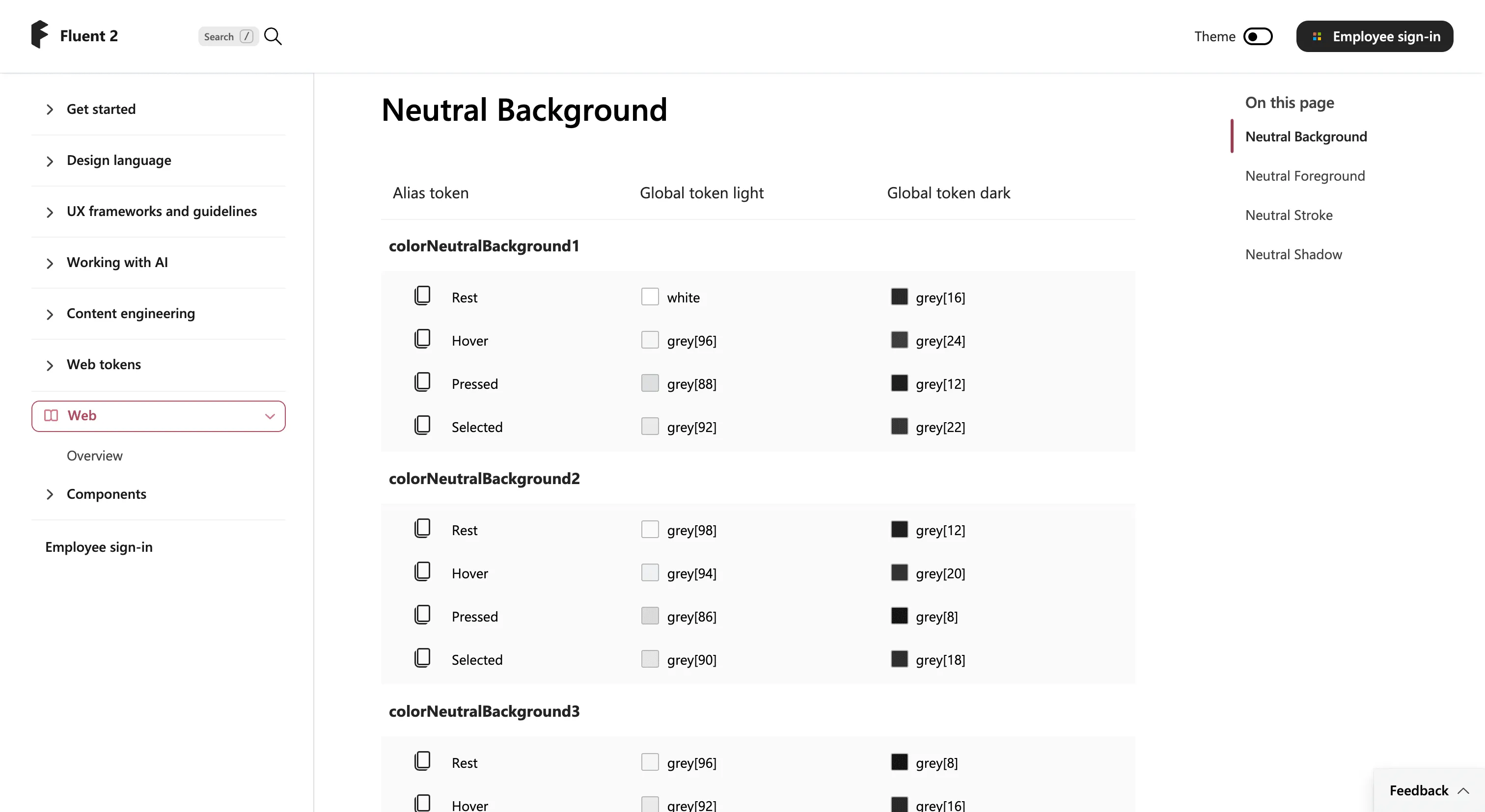
The Responsible AI page turns that into something a release review can enforce. Five principles are each scored from 0 to 3, 90% or more earns an A and is ready to ship, and a score of 0 or 1 on preventing overreliance fails the product outright, whatever the total. Underneath the AI work, the foundations do the patient job of keeping one language native on four platforms: separate type ramps for Segoe UI, Segoe UI Variable, SF Pro and Roboto, sentence case on Windows, Android and the web but title case on iOS and macOS, and interaction states on Windows that get lighter where other platforms get darker.
Where it fits
Fluent 2 fits large teams building React web apps for productivity and enterprise work, especially anything that sits inside or alongside Microsoft 365 and Teams. The look is deliberately Microsoft, and theming runs through FluentProvider and Griffel, so it suits teams who are happy to feel at home next to Office.
The web libraries are the mature part. React v9 is the one to pick, v8 still ships alongside it, and the iOS and Android libraries are pre-1.0, with the docs themselves warning against pulling them into production. Contribution guidance and the Copilot components sit behind an employee sign-in, but teams designing AI features can borrow the public Responsible AI and content engineering guidance without adopting a single component.
Ideas to borrow
- 01.
Governance
Turn AI principles into a scored rubric with automatic-fail criteria, so a release review can block a product on a single principle, like overreliance, even when the total score looks healthy.
- 02.
Theming
Generate brand ramps from one key color, with a fixed number of steps and contrast checks built in, then derive light and dark themes from the ramp with factory functions. Brand teams change one input instead of editing tokens by hand.
- 03.
Architecture
Put maturity into package names and versions, with a -preview suffix, 0.x versus 9.x, and deprecated parts reachable only through an /unstable import, so stability is visible at the import line as well as in the docs.